

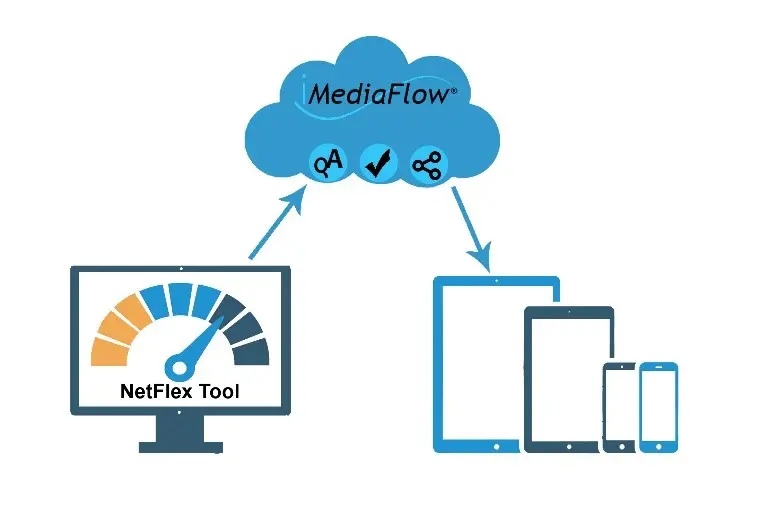
Turbo charge your collection using iMediaFlow® with auto QA
iMediaFlow® and Auto QA
Enable your contributors to upload files 24/7 worldwide with internet access using the iMediaFlow® uploader facility by CiT Digital.
Improve your workflow with cloud based uploads…
At CiT we strive to significantly improve your workflow, to achieve this we utilise the convenience of cloud based uploads. Cloud computing gives your contributors the opportunity to access their account from any device that’s connected to the internet and is available 24 hours a day. This enables them to upload directly from the location of the shoot, it overcomes the problem of international time zones and gives them the convenience of cataloguing where and when they choose.
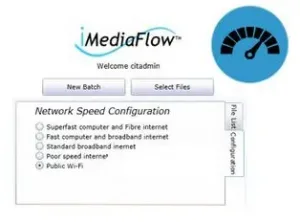
To overcome the issues created by poor internet access we have created a special network speed configuration tool (NetFlex) offering users the choice of a range of settings from ‘Public Wi-Fi’ to ‘Superfast computer and fibre internet’. This ensures that your settings are well matched with the local connection, making uploading more successful. For example, In the event of an internet connection failure the files will display a red cross beside them, the upload can be recommenced as soon as the internet is reconnected.
Take control of your collection with iMediaFlow®…
As the administrator you will be able to control which users can access which iMediaFlow® features. For instance, setting a user to ‘Administrator’ means they can access all files and all areas of the system such as Category Tree set-up as well as the Pricelist and Accounting functions. Whereas allocating someone to ‘Uploader’ restricts their access to the upload, edit and cataloguing.
To ensure the security of your digital assets ‘Contributors’ are only able to access their own uploaded files and are limited to uploading and cataloguing only these. All users are required to securely login into the uploader using a user name and password.
The Quality Assurance (QA) parameters are configured to your requirements and can include the file type, colour profile, DPI and minimum file size etc.
Ensure you keep consistency with automated QA…
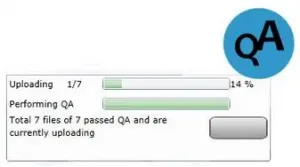
QA is carried out automatically by iMediaFlow® during upload. Contributors can monitor the upload using the Progress Bar and the % Complete Icon providing them with a view on the progress of the batch.
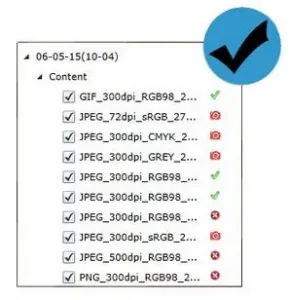
Files that pass QA can be identified by the green tick beside them, if a file fails QA a red camera icon will appear next to the unsuccessful file. An Error Log lists all the failed files along with the reason for failure e.g. File Size too small.
The files that passed QA will become available for cataloguing, giving you confidence in that having passed QA they pass the correct standards.
Make life easier with automated Metadata ingestion…
To further improve your workflow, iMediaFlow® automatically ingests existing metadata in the files, removing the time consuming task of re-entering it once your files are uploaded. The metadata is matched to the iMediaFlow® cataloguing fields in preparation for the cataloguing stage.
iMediaFlow®…
Over 20 years of expertise and experience within the digital asset management industry has enabled CiT to create an innovative software, focused on providing a convenient and straight forward solution to your workflow problems. Our ergonomically designed layout will enable you to effortlessly manage your collection.